I delivered a three-minute product video and got one line back from the client that day: “Great music — but when I played it at the office, my coworkers turned around.”
Then I metered: the music sat 4 dB under the voiceover. Not a bed — a duet. By hour three my ears had decided that level was normal, so pulling it down felt wrong. I was still 8 dB away from right.
Mixing does not care how you feel; it cares what the meter says. Here are the numbers I use: bed levels, ducking, tempo against speech rate, royalty-free sources, and the license traps I keep seeing.
The Level Chart I Keep Pinned
Decibels are relative, so I only think in “how far below the voice.” I park voice peaks between -6 and -3 dB, which puts the music near -21 dB — rarely far off.
| Situation | Music vs. voiceover | The mistake I made |
|---|---|---|
| General narration bed | 15 to 20 dB lower | 4 to 5 dB lower |
| Data line, key claim | 20 to 25 dB lower | No change at all |
| No-dialogue transition | 3 to 6 dB lower | 15 dB lower, music vanished |
| Opening intro, before speech | 6 to 10 dB lower | Full level |
| Outro | 8 to 12 dB lower, then fade | Hard cut |
Fifteen and twenty decibels are different animals. At -15 the mood survives; at -20 the music is an outline and attention goes to the voice. I mix dense tutorials at 20 and vlogs at 15.
Ducking: Two Ways to Make the Music Move
Ducking, plainly: the music gets quieter when the person talks. I use both.
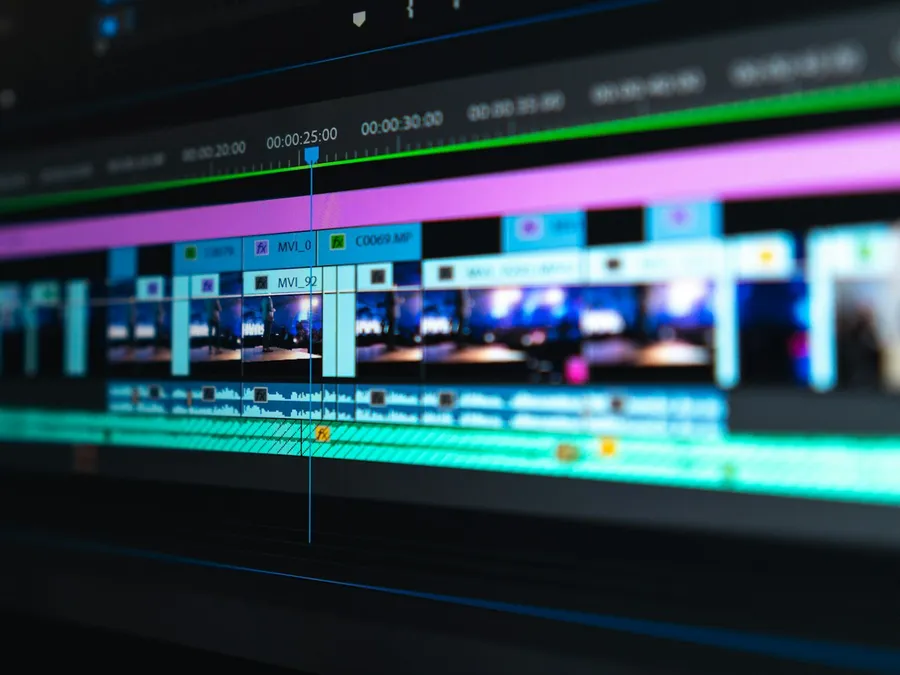
Manual keyframes — in Premiere, DaVinci, CapCut. Drop the music 6 to 10 dB starting 0.3 seconds before the voice, bring it back 0.8 to 1 second after. Tedious but controllable — key lines get manual moves.
Sidechain compression — a compressor on the music bus, keyed from the voice track:
- Threshold: low enough that the voice triggers it every time
- Ratio: 3:1 to 4:1
- Range: -6 to -10 dB, how deep the music dips
- Attack 0.2 to 0.3 seconds, release 0.8 to 1.5 seconds
Attack too fast and the music gets pinched; too slow and it eats the first half of the sentence. Release too short and the bed springs back with a thud; too long and everything feels muffled. My first year I ran attack at 0.05 seconds and wondered why the music sounded breathless.
Tempo, Speech Rate, and the First Three Seconds
The music needs more than low volume; it needs to agree with the rhythm of speech.
BPM is the fastest handle: one beat every half second is 120 BPM. Comfortable English narration runs 140 to 160 words a minute with stressed beats about every half second, so 90 to 110 BPM sits underneath. Drop 128 BPM dance music under a long sentence and you get a tug-of-war: music hurries, voice strolls.
Three habits I never skip:
- Three seconds of music intro before the first word. The ear needs to accept the key and mood before someone speaks, or the opening feels blunt.
- Cut music sections on script sections. When the narration moves to a new chapter, move the music to a new section. Nobody can say why it feels good. It just does.
- Bring the music back in the gaps. Over b-roll and title cards with no narration, lift the bed from 18 dB down to 3 or 6 dB down. More than 1.5 seconds of dead silence loses scrollers.
Royalty-Free Music: Sources and License Traps
Royalty-free does not mean free. You pay once, or nothing, and never pay per use again — it says nothing about quality. Sources I actually use:
- Artlist and Epidemic Sound: subscriptions with full libraries, ideal if you ship weekly. Read the cancellation terms — whether old downloads survive into new videos differs by plan.
- YouTube Audio Library: free and clearly labeled, but the license protects you on YouTube. Move the file to a client’s website or an ad and you are on your own.
- Pixabay Music and Free Music Archive: free for commercial use, uneven quality. Check for CC0 or an explicit commercial clause.
- Single-track purchases (AudioJungle and friends): for campaigns that need a paper trail.
Three traps: songs from Spotify or Apple Music are never cleared for video; free tracks that require attribution go in the description; and Content ID claims burn days to appeal. Source only from libraries with a paper trail.
Six Mistakes I Still See Every Week
- The music is too full. A pop track with vocals and drums fights you at any level. Beds want atmosphere without a lead: pads, minimal electronica, instrumental lo-fi.
- The vocal band gets buried. Voice intelligibility lives between 200 Hz and 4 kHz, and so does most music energy. High-pass at 80 Hz, cut 2 to 3 dB at 200 Hz, cut 3 dB across 2 to 4 kHz. It steps backward, fader untouched.
- Obvious loop seams. An eight-second loop played thirty times clicks audibly around take twenty. Loop in 8- or 16-bar phrases, cut on the downbeat.
- One volume for the whole video. If the intro and the payoff are equally loud, you have no payoff. Level is typography for the ear.
- Lyrics in the bed. Listeners process two language streams at once and retain neither.
- A hard-cut ending. Half a second of fade, minimum.
TTS Voiceovers Mix Differently
A human take carries a noise floor, breaths, and room reverb — all that dirt gives the music something to blend with, so a bed at 14 dB down still sounds glued. A TTS take is surgically clean: no floor, no breaths, dead-consistent level. Two consequences:
- Push the bed lower. Swapping a human take for TTS, I move the bed from 15 dB down to 18 or 20 dB down. Nothing about the music changed; with no noise floor to hide behind, anything louder climbs over the voice.
- Add the breaths yourself. TTS does not inhale. I leave 0.3 to 0.5 seconds between sentences so the groove fills the gap, and 0.5 to 0.8 seconds before key lines. Listeners cannot name what improved; they just say the pacing is smooth.
The upside: a TTS track is level-consistent, so your keyframes line up on every sentence instead of drifting like a human take.
My pass takes six steps: peak the voice between -6 and -3 dB; drop the music in at -15 dB; EQ the low end and the vocal band; set ducking from the table above; three seconds of intro before line one, one second of outro after the last; then listen on headphones, speakers, and a phone. The phone is honest — low end gone, and if the music still reads clearly, it is too loud. Steps one through five take five minutes; step six has saved three deliveries.
When the Numbers Are Right, Your Ear Agrees
Back to that video: I moved the bed from 4 dB under the voice to 17 dB under, same song, same narration. The second reply was “this one I can play at work.” The song had not changed; it had gone back to being furniture.
Bed at 15 to 20 dB down, ducking at 6 to 10, three seconds of intro, gaps lifted to 3 or 6 dB down. Start there, then bend it into your own habit. If your voiceover comes from text-to-speech, this gets easier still: a clean vocal track means the numbers either work or they do not. I generate mine on Soundwaver — plans are on /pricing/, or grab a clean take at /tts/ and run tonight’s numbers through it.